Health by Hannah — Coach Web
The coach's side of a remote rehab and exercise programming business: clients, program builder, calendar, real-time chat and check-ins in one desktop app.
- Role
- Coach Web App
- Fullstack & Product
- Timeline
- Sep — Dec 2025
- Stack
- Next.js
- React
- TypeScript
- Material UI
- Supabase
- Tailwind CSS
- Links
- Coach web
The Product
Health by Hannah is a coaching business for remote rehab and exercise programming. Clients follow their programs in a mobile app; the coach needed one desktop place to run everything behind it — clients, weekly and monthly programs, the exercise library, messages and the notes clients leave after a workout.
My Role
From September to December 2025 I built the Coach Web app end to end: a Next.js and Material UI dashboard on Supabase (PostgreSQL, Auth, Realtime), working from the client's requirements and their feedback rounds. It reads and writes the same data as the client mobile app, so a program the coach saves on the web is what the client opens on their phone.
One Dashboard for the Whole Practice
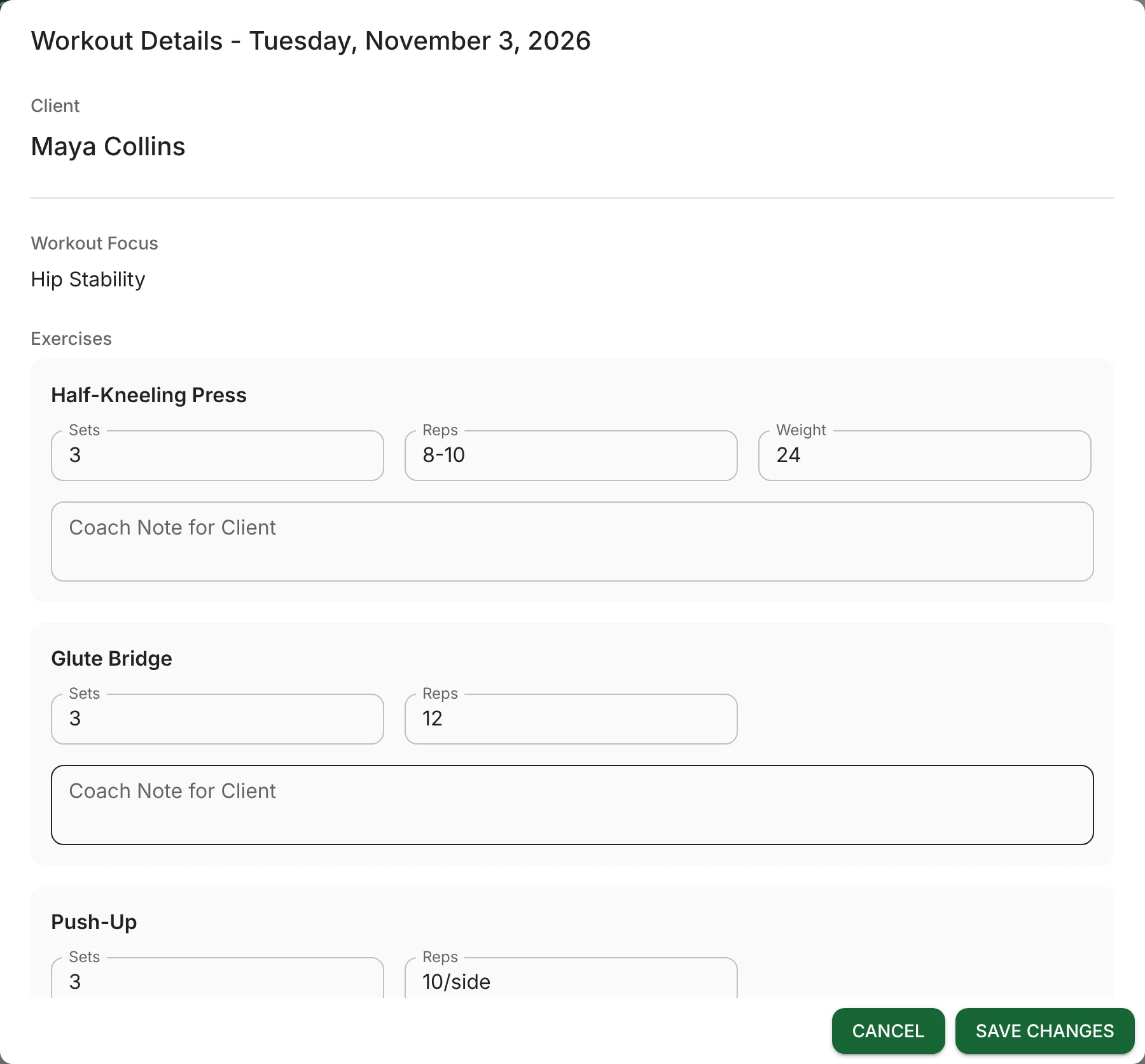
A coach's week, screen by screen. Everything here is mine. Screens are shown with demo data — no real clients.
See Every Client at Once
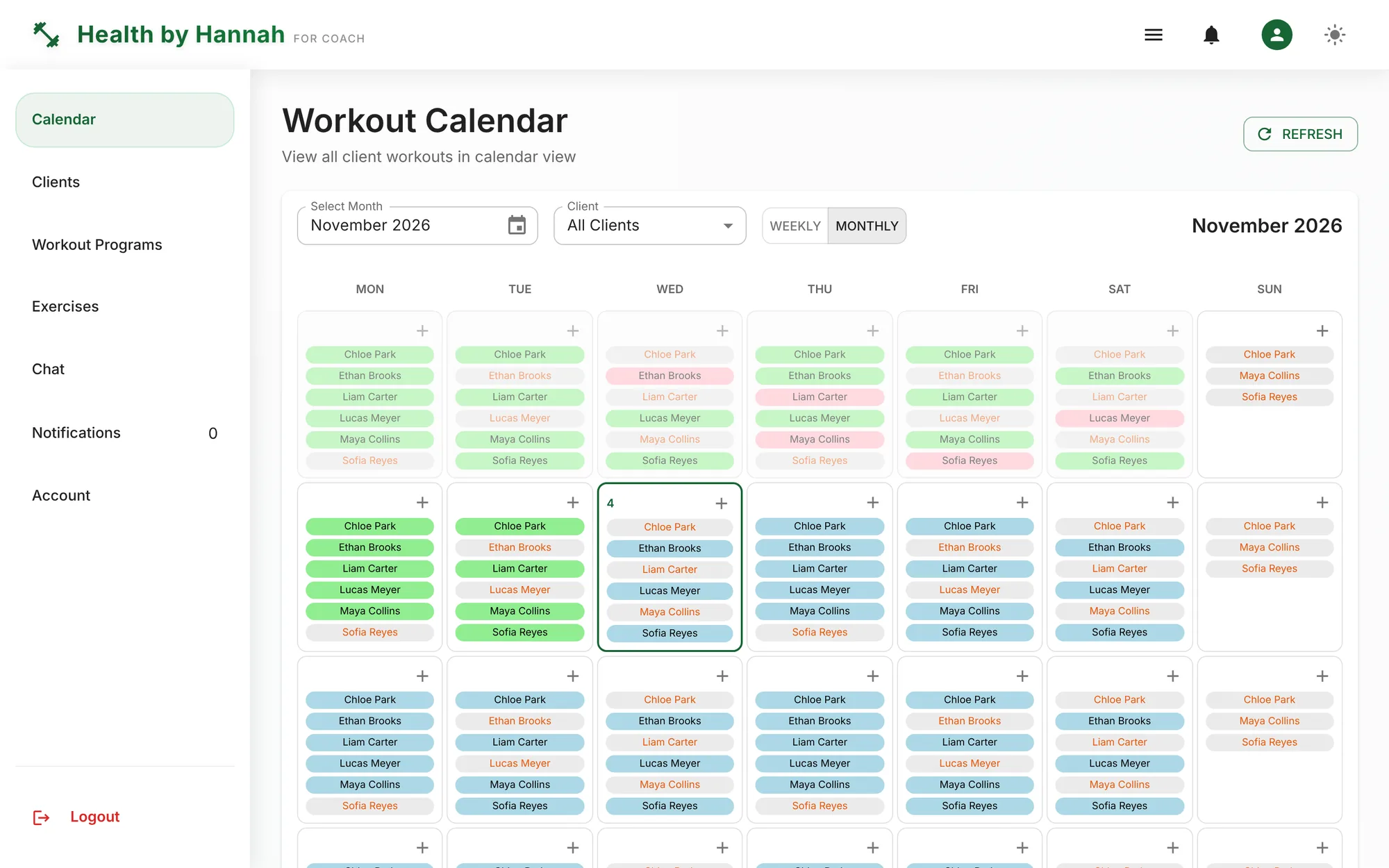
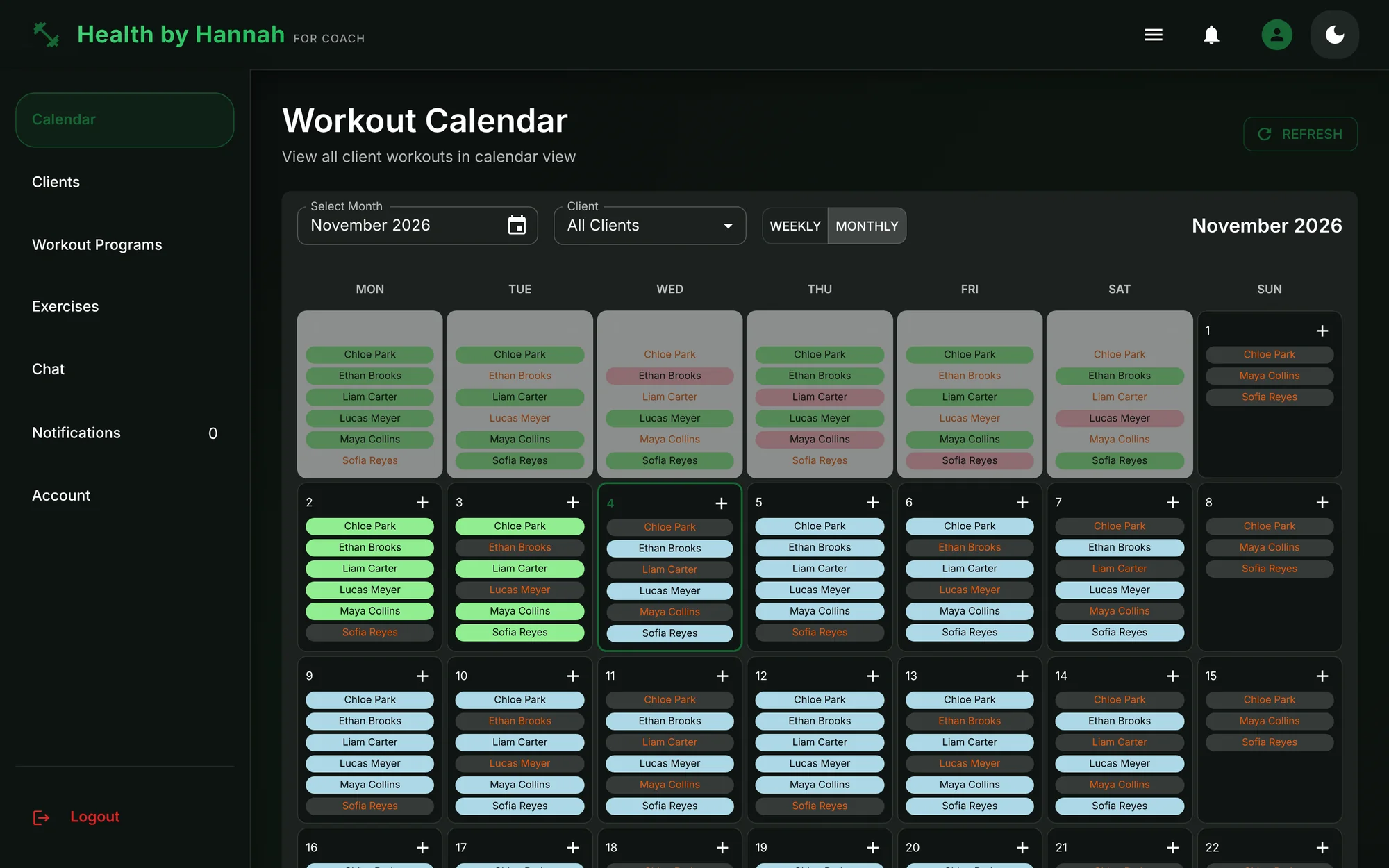
The calendar shows all clients' workouts in weekly or monthly view, color-coded by status, with a client filter and time off days.Manage Clients
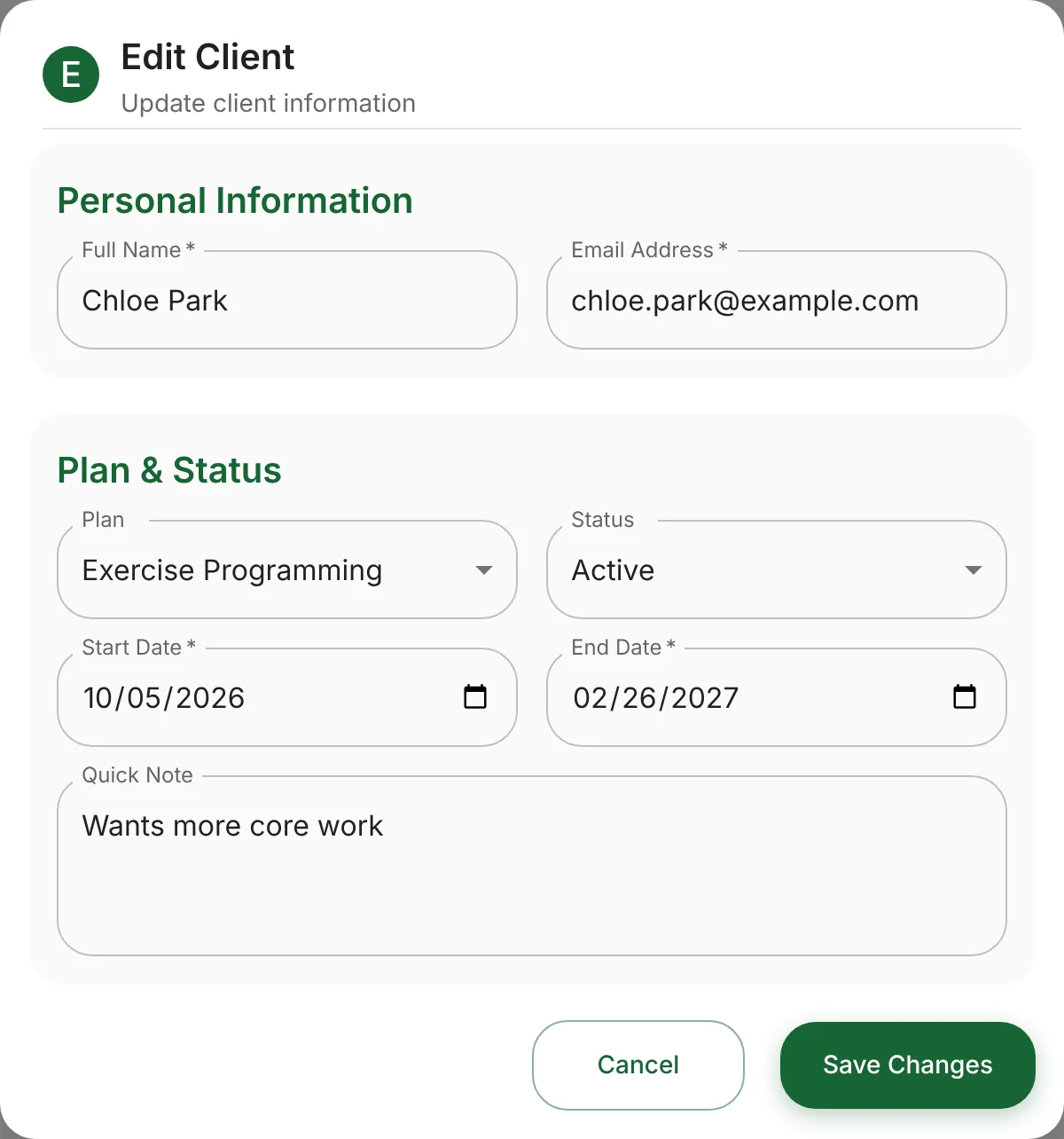
Plans, statuses and dates per client, a 30-day compliance rate and a due date that flags who needs a new program.Build the Program
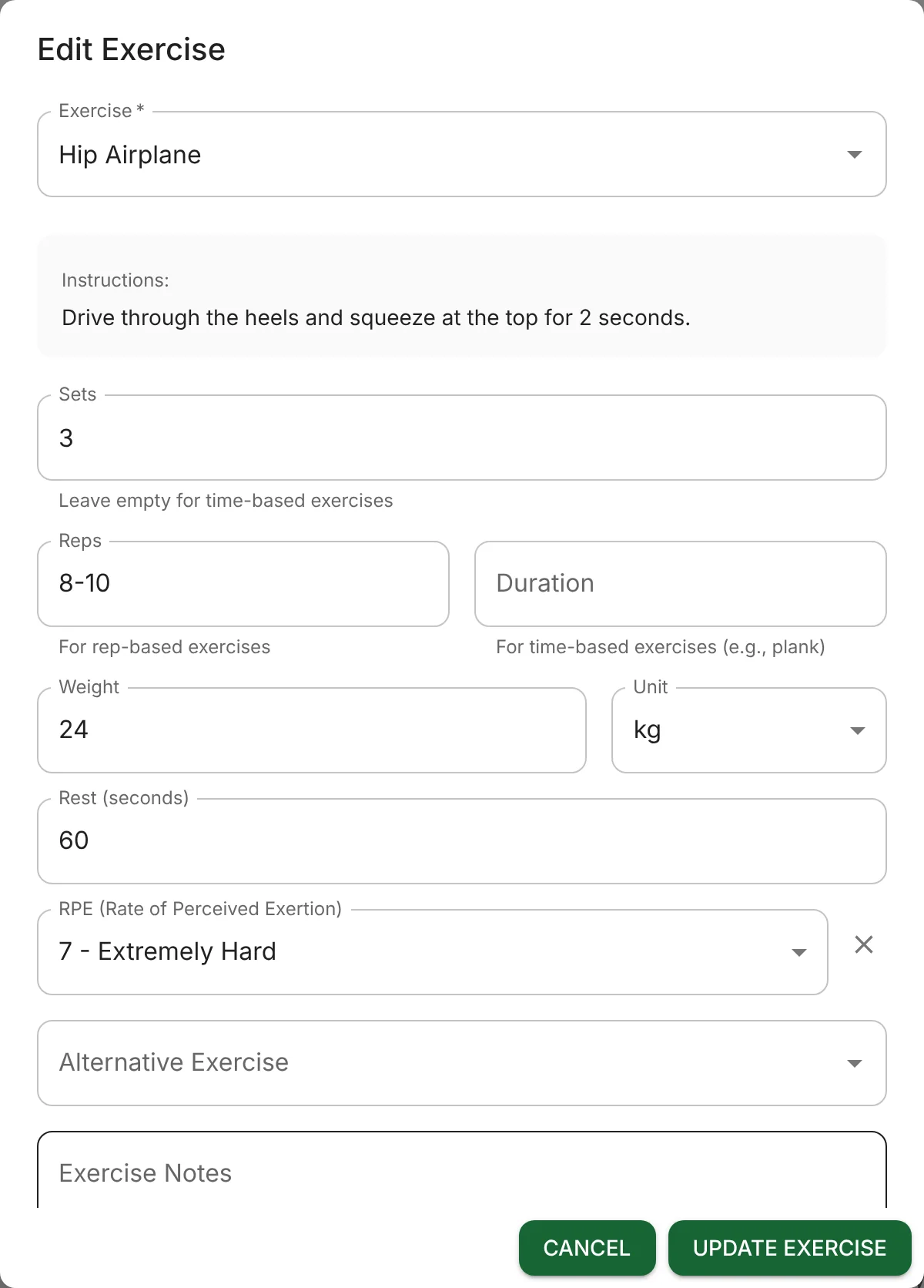
A weekly or monthly builder: drag-and-drop exercise cards, sets, reps, weight, rest and RPE, a focus for each day and rest days.Track Progress
Progress mode turns the same program into completion stats for any week, month or custom range.Exercise Library
The coach's own library — name, image, video and instructions — that every program pulls from.Real-Time Chat
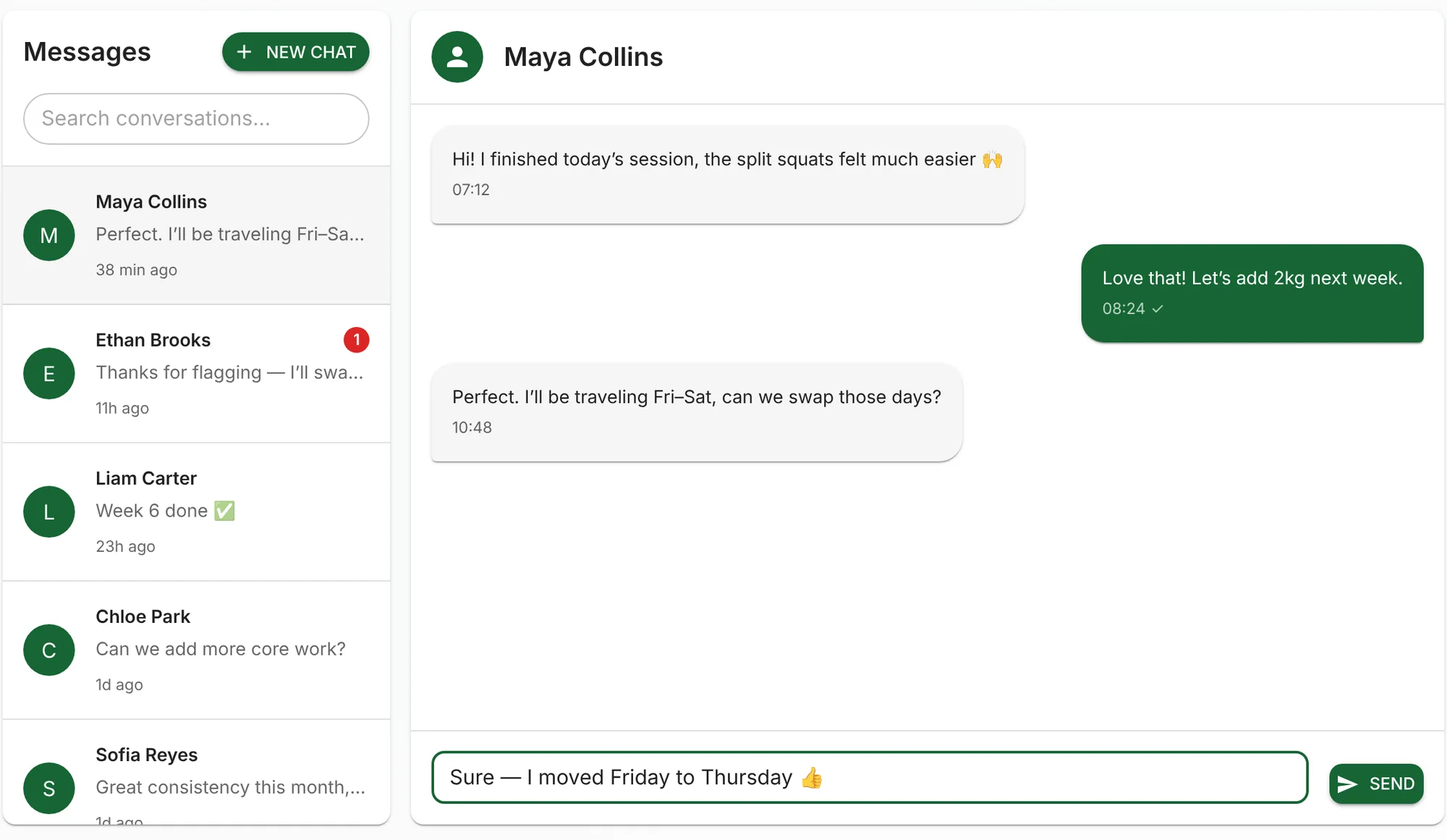
Real-time chat between coach and client on Supabase Realtime, with unread counts and read receipts.Answer Check-Ins
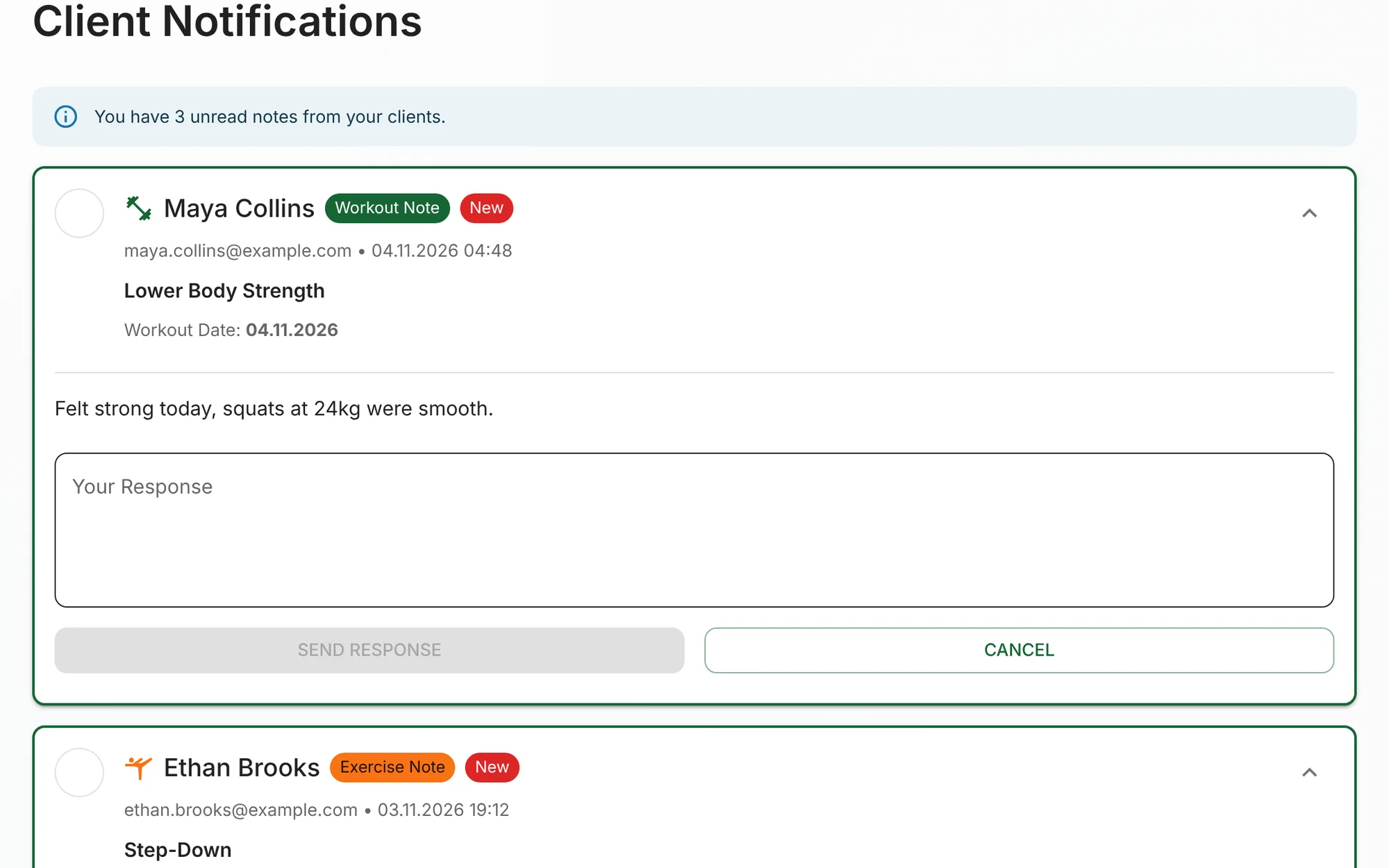
Notes clients leave on a workout or an exercise land here, and the coach responds right from the card.
Tap a screen to view it full size.
A Closer Look
The details a coach touches every day, up close — starting with real-time chat.
Shipping It
- Client Management: create, edit and delete clients with server-side pagination and filtering, plan types, statuses, plan dates and quick notes.
- Onboarding & Auth: invite-based onboarding with a create-password flow, coach sign-up, login and forgot / reset password — all on Supabase Auth.
- Workout Programs: a weekly and monthly builder with drag and drop, day focus, rest days, alternative exercises and inserting past workouts into a new program.
- Coach Calendar: every client's workouts in one view, a client filter and time off for the coach.
- Progress & Compliance: completion stats by period and a 30-day compliance rate on the clients table.
- Real-Time Chat: coach–client messaging on Supabase Realtime — live updates, unread counts and read receipts across web and mobile.
- Check-In Notes: a notes inbox for workout and exercise check-ins, with replies from the card.
- Iterating on Feedback: after the client's review round I removed the dashboard they didn't need and reworked the calendar around how they actually plan.
- Security & Performance: login and client-table performance fixes, and a quick patch for the React Server Components vulnerability.
What I Built
Program Builder
Real-Time Coaching
Coach Calendar & Compliance
What Changed
The coach runs clients, programs, the exercise library, messages and check-ins from one desktop app, on the same data the client mobile app uses.
What I Learned
Building straight from a client's requirement document — and their feedback after each round — taught me to cut as readily as I add. Removing the dashboard made the product better. Owning the UI, auth and data layer together made me think about the whole flow: what the coach saves has to be exactly what the client sees on their phone.